Launch monitors explained: what the numbers mean
A launch monitor turns a golf shot into numbers. Ball speed, launch angle, spin rate, carry distance. Each one answers a question about your swing, but only if you know what the number means and which one to fix first. This guide explains the numbers a launch monitor gives you, how the device measures them, and how to use them in practice without drowning in data.
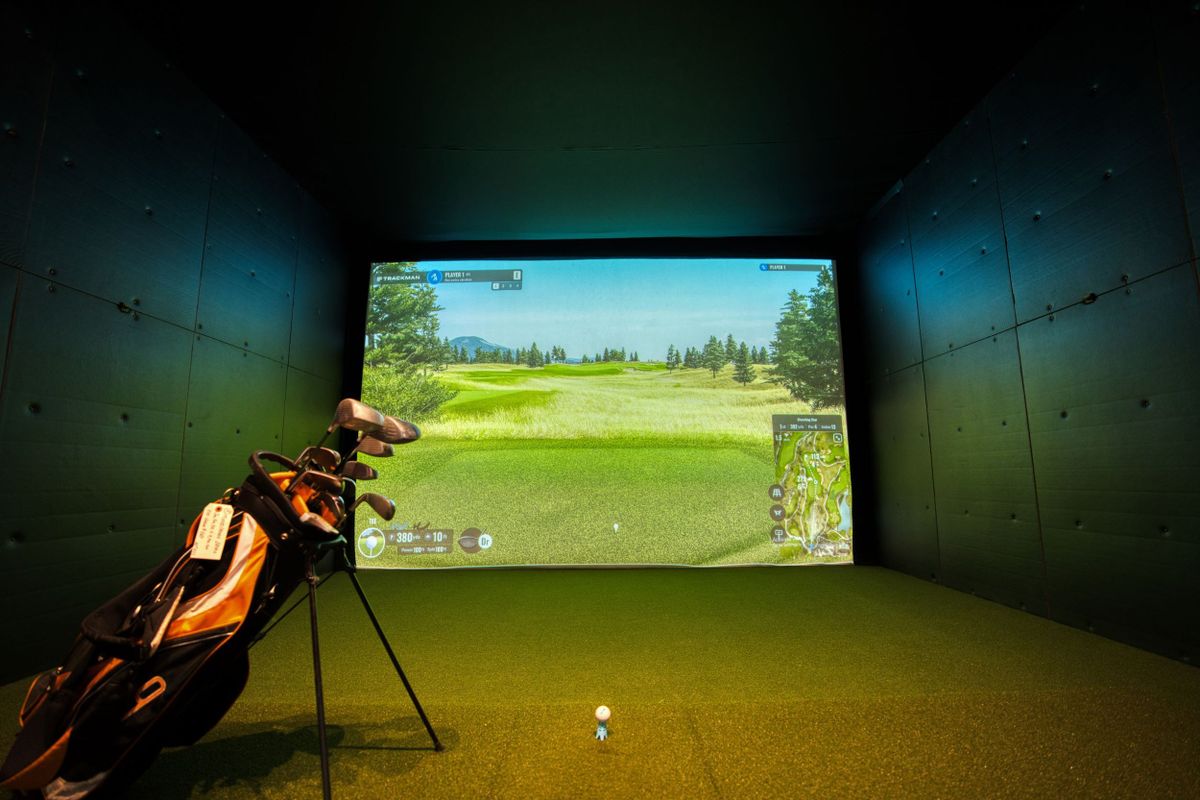
A launch monitor is a device that measures what happens when the club meets the ball. It tracks the ball and the clubhead in the first moments after impact and turns the measurements into numbers, including ball speed, launch angle, spin rate and carry distance. Radar units follow the ball in flight. Camera units photograph the ball and the club at impact. Both types give you facts about your shot instead of guesses.
What a launch monitor actually measures
A launch monitor measures two things: what the club did and what the ball did. Club data covers club speed, club path, face angle and angle of attack. Ball data covers ball speed, launch angle, spin rate, spin axis and carry distance. Some units measure both directly. Cheaper units measure the ball and calculate the club numbers from it. The full list of numbers a monitor can show runs long, but most golfers only need five of them to improve: ball speed, smash factor, launch angle, spin rate and carry distance. The rest are useful once those five make sense.
Radar vs camera: how the two types work
There are two kinds of launch monitor, and they measure the ball in different ways. Radar units use Doppler radar. They sit behind the ball, send out radio waves and listen for the reflection off the ball in flight. They are at their best outdoors with room behind the golfer, because the radar needs distance to track the ball. Camera units, also called photometric monitors, use high speed cameras. They sit beside or above the ball and photograph the ball and the club in the first few centimetres after impact. They work well indoors and in small spaces, because they only need a clear view of impact. Neither type is better in every situation. Radar struggles indoors where the ball stops quickly. Cameras struggle in poor light and need the ball placed in the right spot. When you choose one, the room you will use it in matters as much as the numbers it shows. See Golf simulator practice: how to make indoor sessions count for how launch monitors fit into a simulator bay.
Ball speed and club speed
Ball speed is the speed of the ball just after impact, measured in miles per hour. It is the single most important launch monitor number, because it sets the ceiling for how far the ball can go. Club speed is the speed of the clubhead at impact. The two are linked, but the link is not one to one. A faster club usually means a faster ball, but only if the strike is centred. Hit the ball off the toe or the heel and the ball speed drops even when the club speed stays the same. That is why two golfers with the same club speed can carry the ball very different distances. See Golf club distances: how far each club should go for what each club should carry at different speeds.
Smash factor: the efficiency number
Smash factor is ball speed divided by club speed. It measures how efficiently you turned club speed into ball speed. A driver struck in the centre gives a smash factor near 1.50, which is the practical maximum for a driver. A 7 iron struck in the centre gives around 1.35 to 1.40. A smash factor well below those numbers means the strike was off centre, even if the swing looked fine. That makes smash factor the fastest way to spot a strike problem. If your club speed is fine but your ball speed is low, check the strike before you check anything else. A low smash factor with a good swing usually means a contact problem, not a speed problem.
Launch angle and spin rate
Launch angle is the angle the ball leaves the clubface, measured against the ground. Spin rate is how fast the ball spins, measured in revolutions per minute. Together they decide the shape of the flight. Too little spin and the ball falls out of the sky early. Too much spin and the ball balloons and loses distance. A driver launched around 12 to 14 degrees with 2,000 to 2,500 rpm of backspin carries well for most amateurs. An iron needs more spin to hold a green, so its numbers look different: a 7 iron launched near 18 to 20 degrees with 5,000 to 6,000 rpm is a normal shot. The exact numbers depend on your club speed, so treat the ranges as a guide, not a target. What matters is whether your numbers are consistent, and whether changing one number moves the ball the way you expected. See Golf ball spin explained: backspin, sidespin and control for the full picture of what spin does in the air.
Club path, face angle and angle of attack
Some launch monitors also report what the club did: club path, face angle and angle of attack. Club path is the direction the clubhead travelled through impact, relative to the target line. Face angle is where the clubface pointed at impact. Angle of attack is whether the club was moving down or up when it met the ball. Path and face together explain the start direction and the curve, so they are the numbers to check when the ball misses sideways. See Swing path explained: in-to-out, out-to-in and neutral and Clubface angle explained: open, closed and square at impact for the full breakdown. Angle of attack explains the strike: a driver hit on the upswing launches higher with less spin, while an iron hit on the downswing compresses the ball and launches lower. If your launch angle is low with a driver, the fix is often angle of attack, not a new shaft.
Carry distance, total distance and dispersion
Carry distance is how far the ball flies before it first touches the ground. Total distance adds the roll after landing. Carry is the number to trust, because roll depends on the ground, the weather and the landing angle, none of which you control. Dispersion is the spread of your shots around the target, and it is the number that tells you whether a change actually helped. A new swing thought that adds five yards of carry but doubles your dispersion is not an improvement. Check dispersion over at least ten balls before you decide a change worked. See Carry distance vs total distance: what to use for club selection for which number to use when you choose a club, and Golf distance gaps: how to check yours for how to check the gaps between your clubs.
What the numbers cannot tell you
A launch monitor measures the result of the swing, not the swing itself. It can tell you the ball launched low with too much spin. It cannot tell you why. The cause might be a steep angle of attack, a ball position too far back, a shaft that does not fit, or a swing fault like early extension. The monitor gives you the symptom. Finding the cause still takes video, a coach, or a careful look at your swing. See What a golf swing analyzer app can and cannot measure for the same honesty about video analysis. A launch monitor also cannot tell you how a shot will behave on a real course. Wind, slope, firm greens and pressure change everything, and no number on a screen accounts for them. Use the monitor to build a repeatable shot, then learn that shot on the course.
Launch monitor vs swing analyzer app
A launch monitor and a swing analyzer app answer different questions. The monitor tells you what the ball did. The app tells you what your body did. A monitor shows ball speed and spin. An app shows your positions at address, at the top and at impact, and points out the faults in between. The two work best together: the monitor shows the result, the app shows the cause. This guide is published by FormCaddie, which makes a swing analyzer app for iPhone. FormCaddie analyses your swing from video and shows your positions and faults. It does not measure ball speed, spin rate or carry distance the way a launch monitor does, and it does not claim to. If you want ball numbers, use a launch monitor. If you want to see why the ball did what it did, film the swing. See How to film your golf swing for the camera setup, and Are golf swing analyzer apps accurate? for an honest look at what video analysis can and cannot do.
How to use a launch monitor in practice
One number at a time. Pick the number that matches your miss, change one thing, and hit ten balls. If the ball goes right, watch face angle and path, not spin rate. If the ball goes short, watch ball speed and smash factor, not launch angle. If the ball balloons, watch spin rate and angle of attack. Write the numbers down. Memory is a poor record of ten balls, and a notebook beats a feeling every time. Use the same unit and the same balls for every session, because different units and different balls give different numbers. Compare your numbers with your own last session, not with a tour player's numbers. And finish every session with a few shots at a target, not at the screen. The monitor is a tool for practice, not a substitute for playing golf. See The golf stats worth tracking (and which to ignore) for which numbers are worth a notebook and which to ignore.
What to practise this week
Book one session with a launch monitor, at a range, a simulator bay or a fitting centre. Hit ten balls with a 7 iron and write down ball speed, smash factor, launch angle, spin rate and carry for each one. Then look at the spread. If the carry varies by more than ten yards, the problem is strike, so work on contact before anything else. If the carry is steady but short, the problem is speed or launch, so work on the numbers that sit furthest from the ranges above. Film five of the swings from down the line at the same time, and compare the video with the numbers. See How to analyse your own golf swing video for the review routine, and Golf simulator practice: how to make indoor sessions count if your session is in a bay.
Frequently asked questions
What is a launch monitor?
A launch monitor is a device that measures what happens when the club meets the ball. It tracks the ball and the clubhead in the first moments after impact and turns the measurements into numbers, including ball speed, launch angle, spin rate and carry distance. Radar units follow the ball in flight. Camera units photograph the ball and the club at impact.
Do I need a launch monitor to get better at golf?
No. A launch monitor gives you facts about your shots, but it is not required to improve. Video, drills and a clear practice plan do most of the work. A launch monitor helps most when you have a specific problem to measure, like a ball that goes short or curves the wrong way, and when you use the same unit regularly so the numbers are comparable.
Are launch monitor numbers accurate?
Good launch monitors are accurate enough to practise with, but every unit has limits. Radar units need space behind the ball to track it. Camera units need good light and the ball in the right spot. Numbers also vary between units and between ball types, so compare your numbers with your own earlier sessions on the same unit, not with numbers from a different monitor or a different golfer.
What is a good smash factor?
For a driver, a centred strike gives a smash factor near 1.50, which is the practical maximum. For a 7 iron, a centred strike gives around 1.35 to 1.40. A smash factor well below those numbers means the strike was off centre. If your club speed is fine but your ball speed is low, check the strike before you change anything else.
Check your swing against the numbers
A launch monitor tells you what the ball did. Film your swing and see why it did it.
Download FormCaddie freeMore guides
- Golf simulator practice: how to make indoor sessions count
- Golf club distances: how far each club should go
- Golf distance gaps: how to check yours
- Ball flight laws: what actually controls direction and curve
- Carry distance vs total distance: what to use for club selection
- How to analyse your own golf swing video
- Face-on vs down-the-line: which camera angle shows what
- Golf ball spin explained: backspin, sidespin and control