Measure
See the frame behind the number.
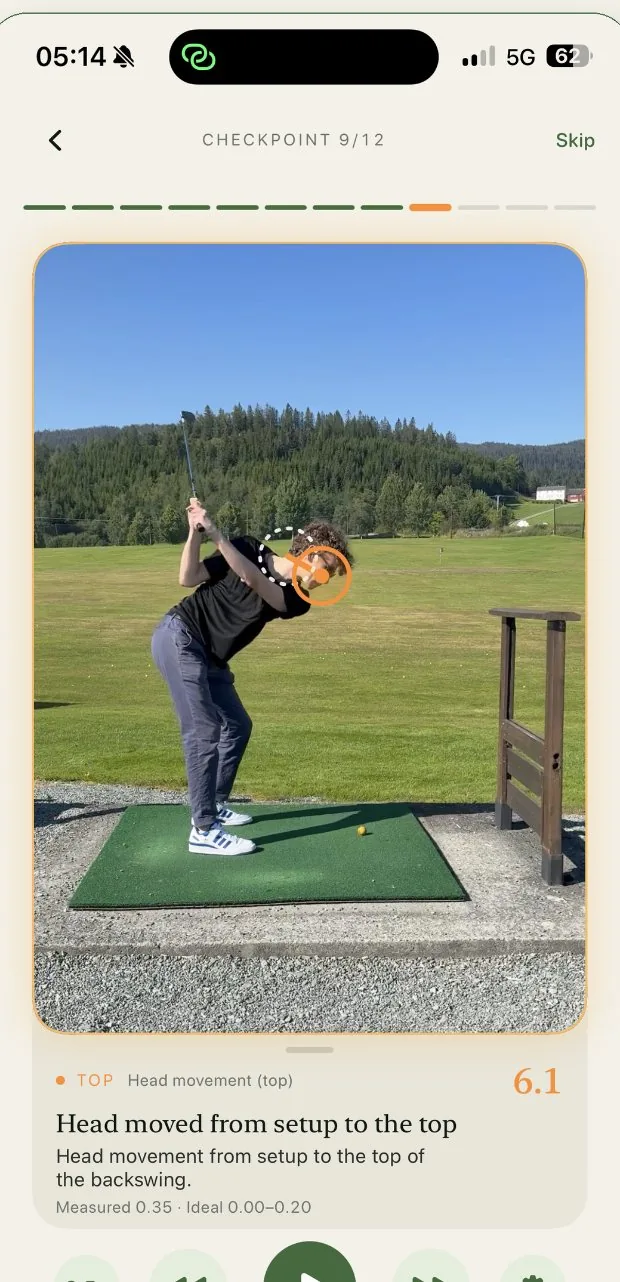
Step through the swing checkpoint by checkpoint. Each measurement pauses on the exact frame and draws the overlay on your body or club.
Play · slow motion · frame by frame · scrub
Film one golf swing from behind. FormCaddie measures 12 checkpoints on your iPhone, ranks what matters, and gives you one focused drill.
Three steps. No dashboard archaeology.
Set your phone 4–5 metres behind you. The app checks the framing before you go.
Apple Vision and a club-tracking model read 12 checkpoints and compare them against tour-pro calibrated ranges.
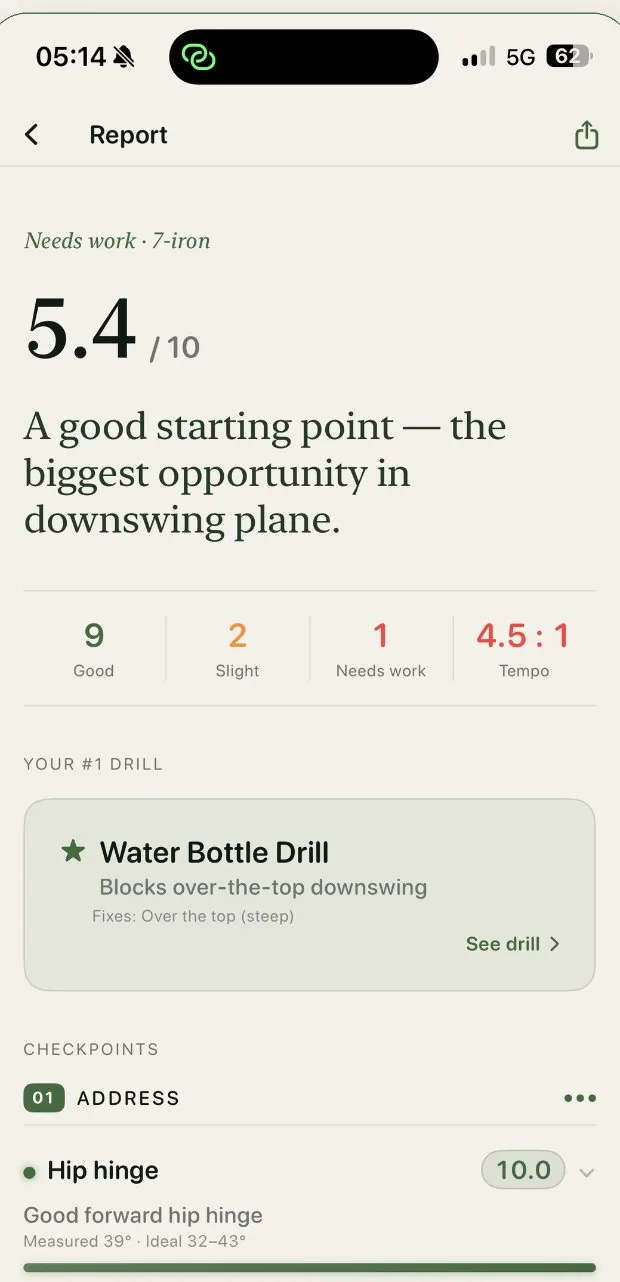
Your biggest visible fault becomes one explanation and one drill worth doing.
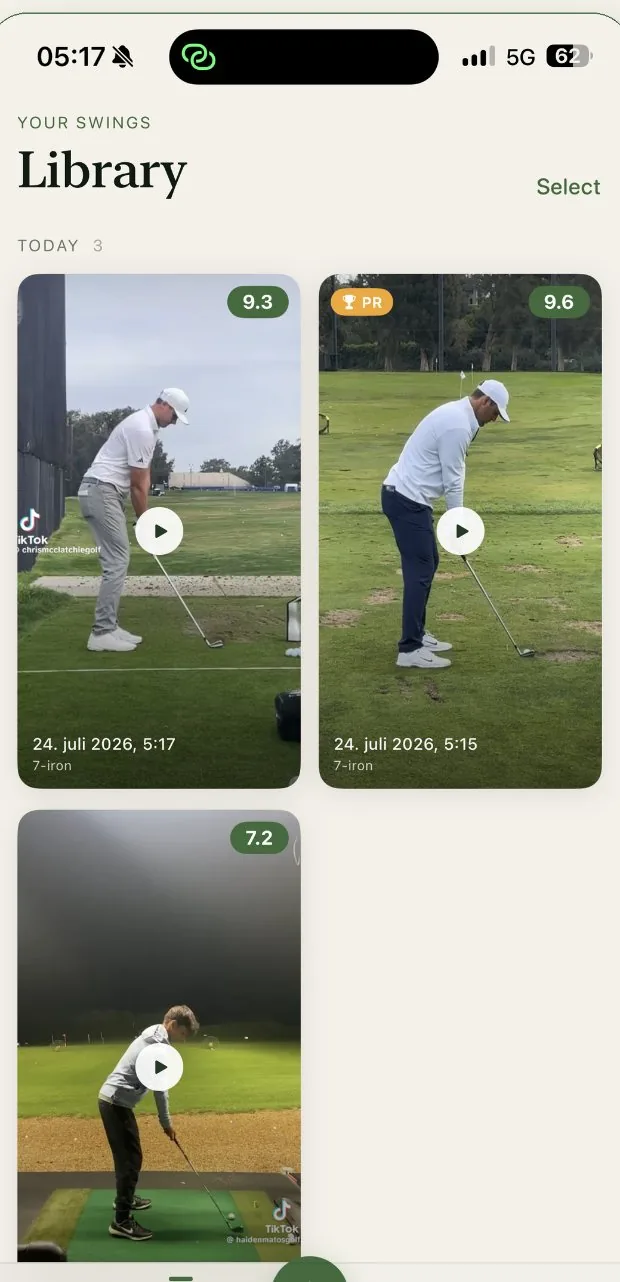
Already filmed it? Import one swing from your camera roll.
Live Range
Set the phone behind you, pick a club, and hit balls. FormCaddie waits for each swing, analyses it, and speaks the result back to you.
FormCaddie turns a down-the-line video into an ordered answer: what happened, what it can cause, and what to do next.
Step through the swing checkpoint by checkpoint. Each measurement pauses on the exact frame and draws the overlay on your body or club.
Play · slow motion · frame by frame · scrub
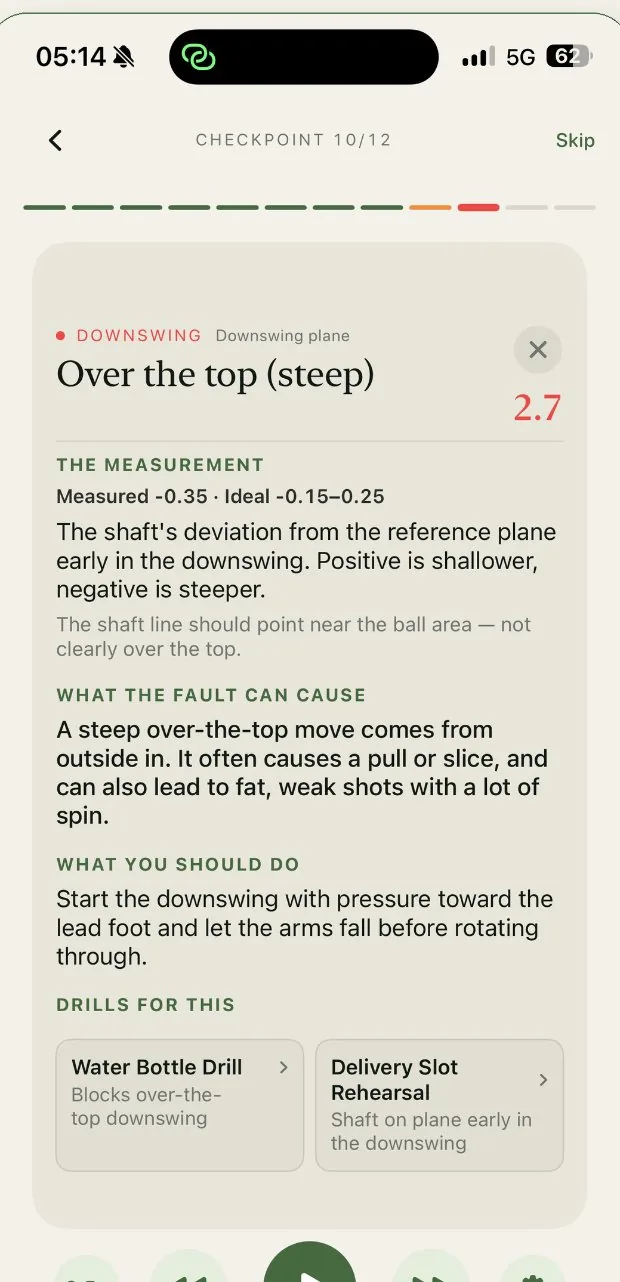
The report explains the measurement in ordinary words, the shots it can cause, and the move that brings it back toward the target range.
“Let the arms fall before rotating through.”Over the top · downswing plane
FormCaddie ranks visible faults by impact and chooses from 23 drills. You get one clear purpose instead of twelve things to remember over the ball.
Start with ten free swings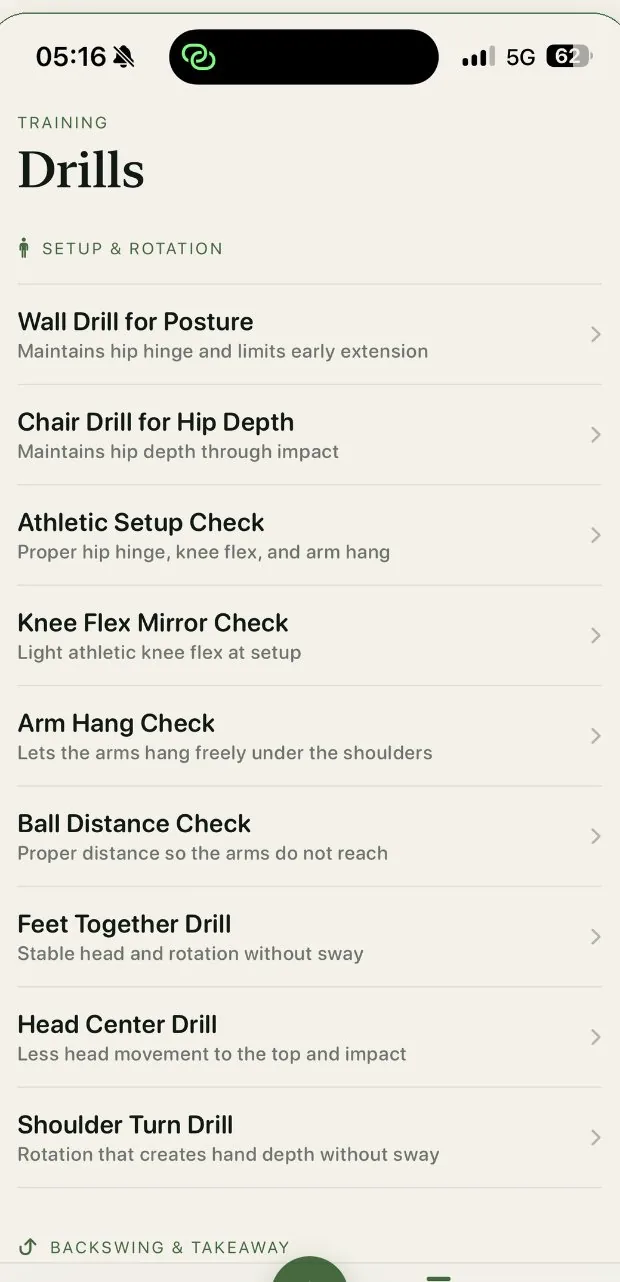
Start free
Full reports, all twelve checkpoints, and the recommended drill. The count resets every Monday. There is no trial clock.
Download freeMonthly or yearly in your own currency. Cancel in the App Store.
Everything you need to get measuring with confidence.
Your iPhone and something to lean it against. Place it at stomach height, straight behind you on the ball-to-target line, 4–5 metres away, with your whole body and both hands in frame. Film at 60 fps for sharper checkpoints.
Irons, wedges, hybrids, and fairway woods. Driver and putter are deliberately left out: the model is built for full swings with a lofted club. Ideal ranges shift with the club you choose.
No. The video is processed on your iPhone and stays in your library there. Swing clips, measurements, analysis results, and scores are not sent to analytics.
Usually 15–30 seconds from the end of the clip to a finished 12-checkpoint report.
Ten free analyses every week. Pro adds unlimited analyses, unlimited Live Range, and a personal training plan. Monthly and yearly options appear in your local currency in the app.
Any iPhone running iOS 17 or later. FormCaddie is available in English and Norwegian.
No. It measures what one down-the-line camera can see and gives you a focused drill. Think of it as the second opinion that can come to every range session.
Ten free analyses a week. Twelve checkpoints. One thing worth fixing.
Download on the App Store